
I want to export a Proceed report into an excel file so that I can move data around. How do I do this?
1 Answers
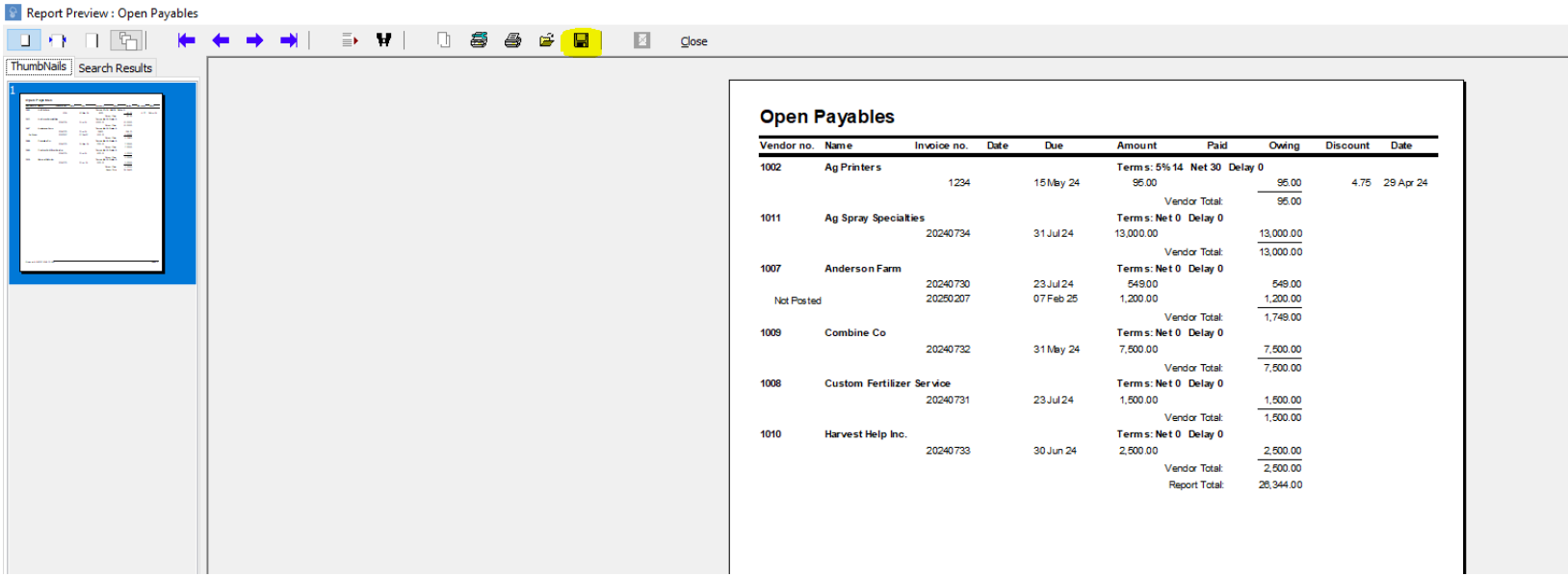
When you’ve generated your report, click on the Save button.
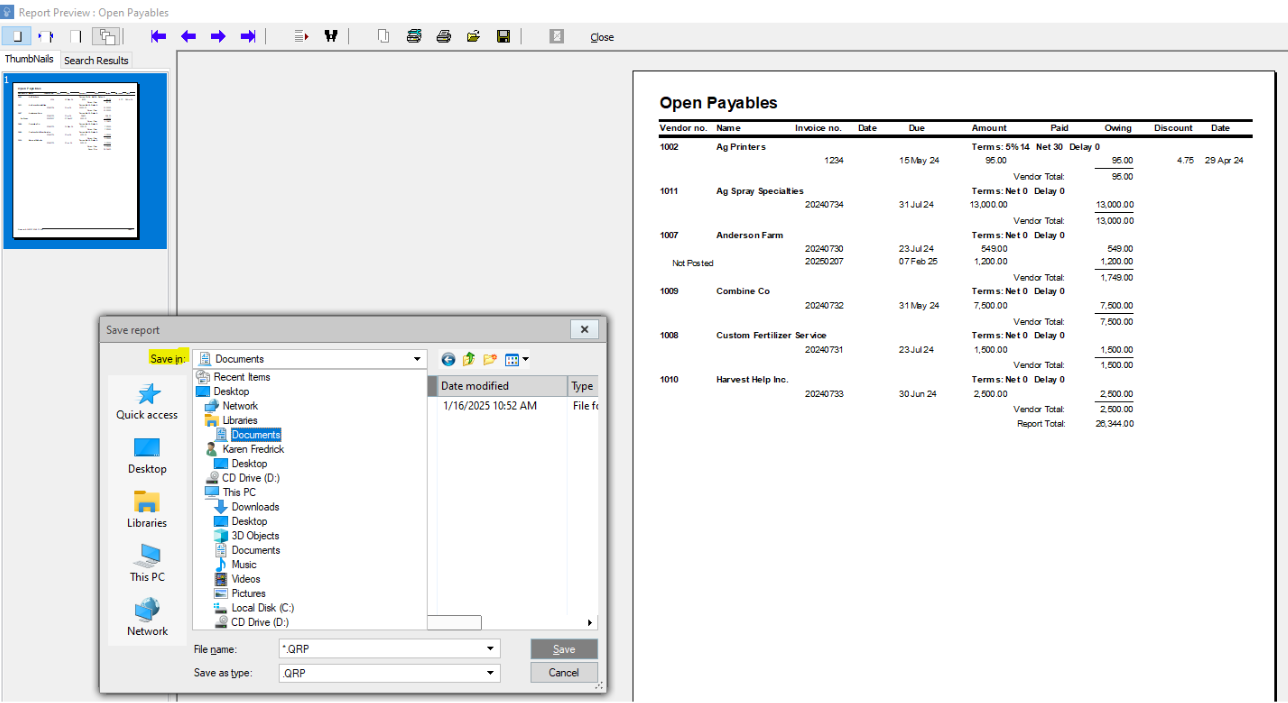
Click on the drop-down menu on the "Save In" field to make sure you’ve selected the right location for the file to be saved to.
Change the File Type from the default .QRP file to an .XLS file (Excel spreadsheet). Add a File Name for the report.
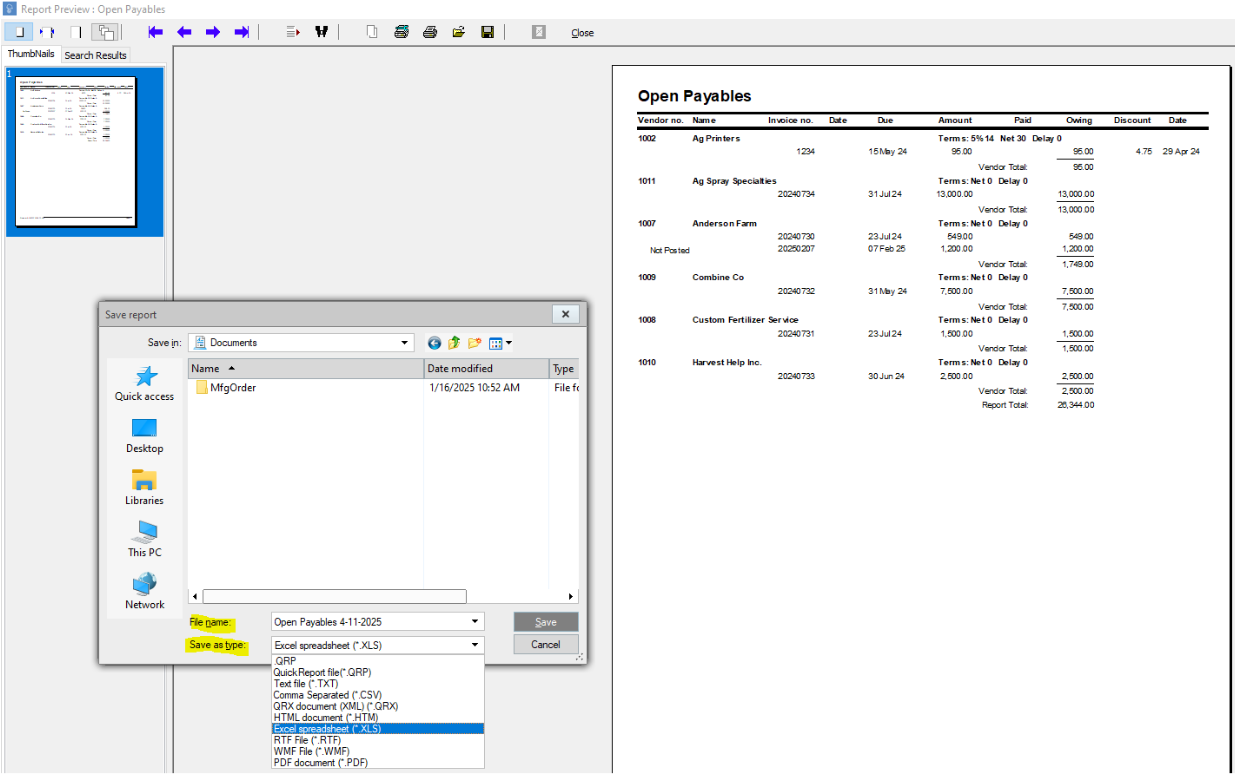
Click Save.