This article explains how your can easily create finance charges for Customers with past due amounts.
1 Answers
Setting Up Finance Charges
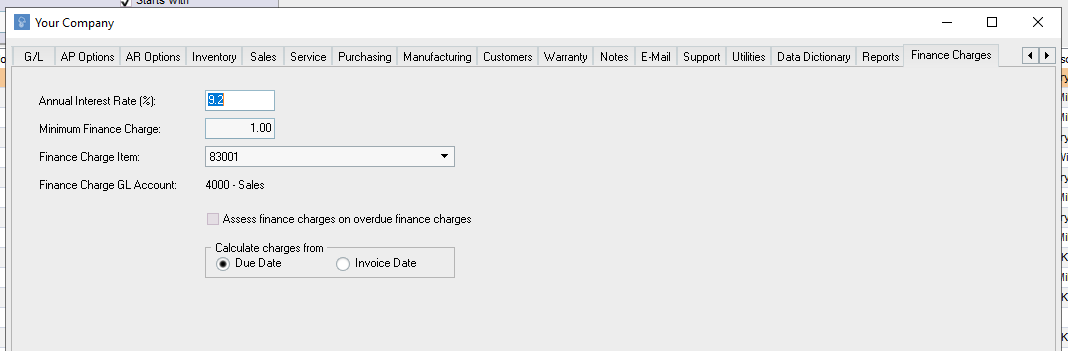
Before you create a finance charge, you'll need to setup a few things. Go to Setup and select "Your Company". Scroll all the way to the right to the tab "Finance Charges". Here, you can add the Annual Percentage Rate you'll be applying, the minimum finance charge amount, and when you'll want to calculate the charges from.
Since the Finance Charge will create an invoice, you'll need an item that can be added to the invoice. We suggest creating an item called Finance Charges that you can add here.
Creating a Finance Charge
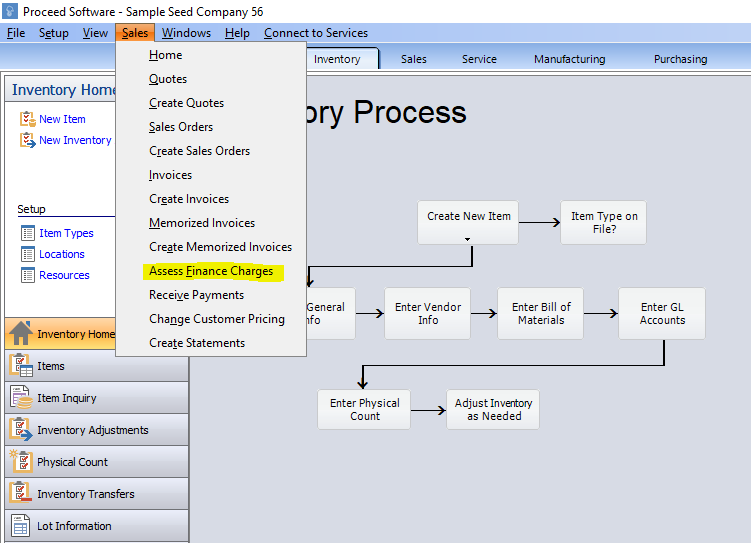
To create a fiance charge, go to Sales at the top left corner of the window. Select "Assess Finance Charges".
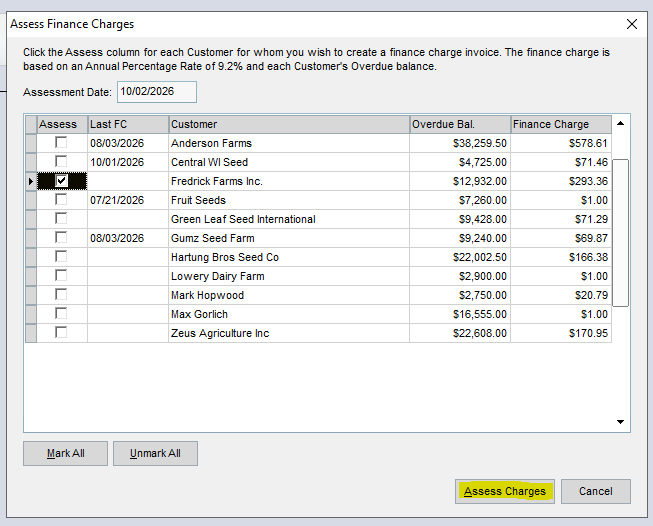
Here, you can create one or multiple finance charges for any customers who may be overdue.
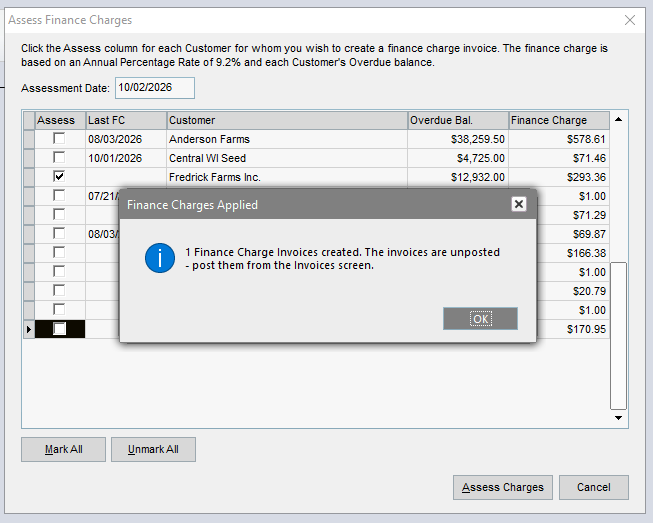
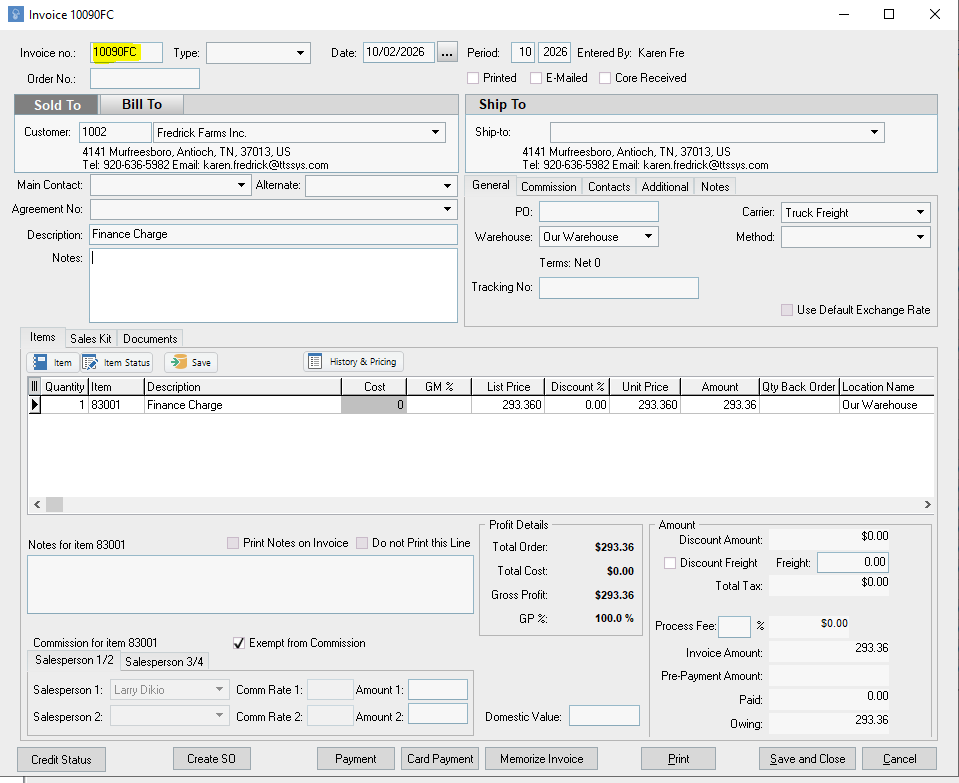
Once you've selected the finance charges you want to apply, click Assess Charges. It will create an invoice, which you can then manually post.
Finance Charge invoices are distinct from regular invoices, as they add "FC" at the end of the Invoice Number.

Related
How do the Customer Terms work in Proceed Software?
1 answers
How do finance changes work in Proceed Software?
1 answers
How does the BigCommerce and Proceed Software integration work?
1 answers
How are the Customer Terms set in Proceed Software?
How do I setup existing accounts receivable into Proceed?
1 answers
I'm trying to create a Balance Sheet in Proceed Software and i'm mising GL Accounts
1 answers