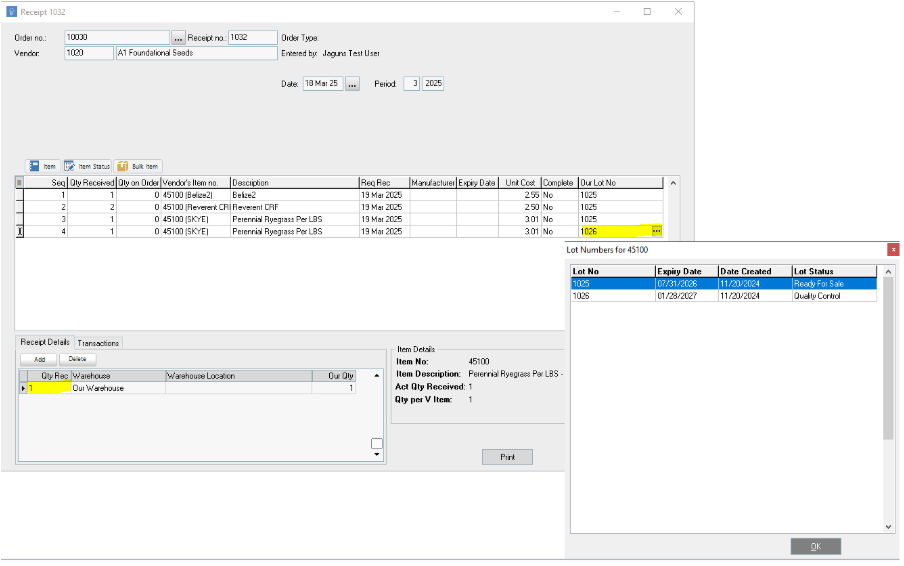
If a vendor sends me multiple lots for an item on a purchase order, how do I receipt that in?
1 Answers
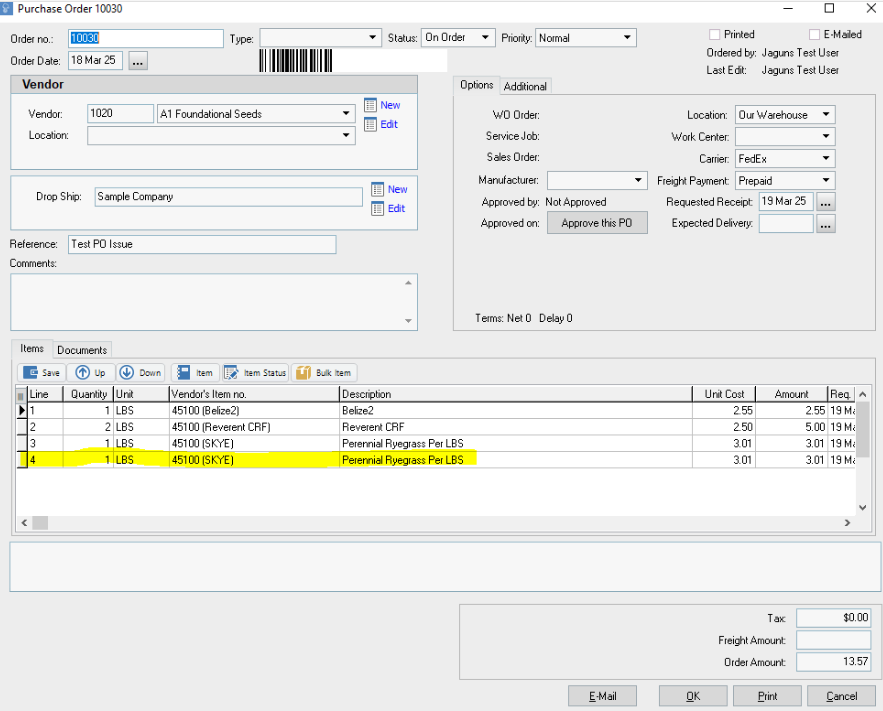
If you issue a Purchase Order to a Vendor and that Vendor sends the company items from multiple "Lots", you will need to go into the Purchase Order and modify it so that there is a quantity of the item for each Lot they've received.
So, if the Vendor sent you the items from two lots, you can return to the Purchase Order and add the item (or as many as needed) again.
After saving the new Purchase Order, the user can then receipt in the Purchase Order and apply multiple Lot Numbers to each item received as needed. You can then enter the quantities to match what you received from the vendor.