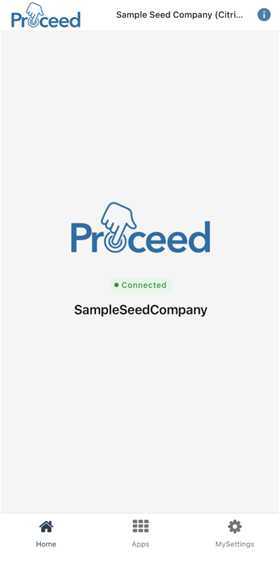
If I want to start using the mobile app on my phone or tablet, how do I get into Proceed Mobile?
1 Answers
The Proceed Mobile App currently works on Apple Devices. You can download the app from the Apple App Store by searching "Proceed Mobile".
You’ll need to also download and install the Google Authenticator app.
- Once you're logged into Google Authenticator (you can use any work or personal gmail account), return to Proceed Mobile.
- Click "Log In". You'll be prompted to login with your username and password. Click "Reset Password" and you'll recieve an email to set your password to whatever you'd like.
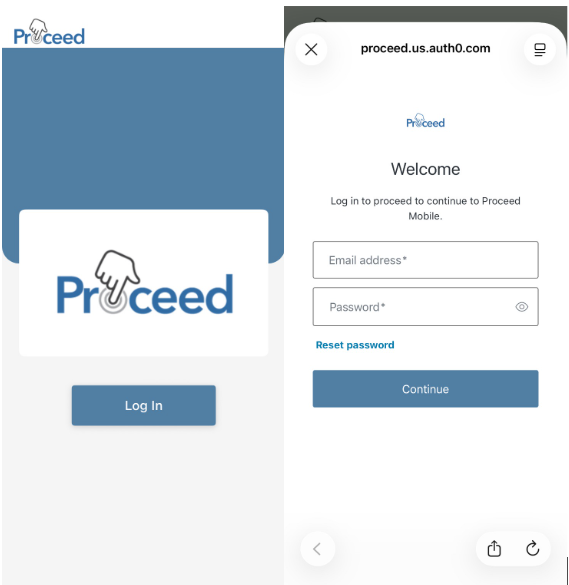
- After you've reset your password, return to the login screen and enter your username (which will likely be your company email, but if you need clarification you can always check with our team) and new password.
- On the first login into the app, you will be prompted with a QR Code. But you want to use the authentication code. To access the authenticaton code, click "Trouble Scanning?" below the QR Code. You will need to copy the code by clicking on "Copy code" button.
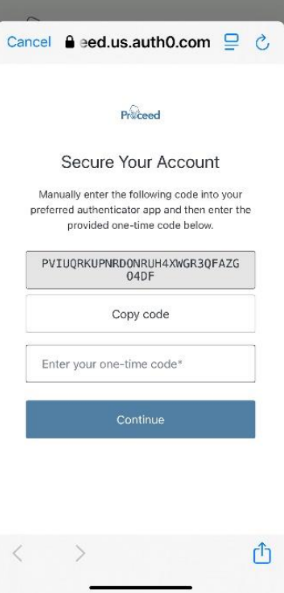
- Then, go to the Google Authenticator app. Click on "Add a code", then click "Enter a setup key." (Or click the "+" button in the bottom left corner if you have other active codes in the app.)
- You will be presented with a form where you’ll enter a name for the field “Account Name” such as Proceed Mobile or something similair.
- In the field “Your Key” paste the code you just copied from Proceed Mobile.
- For the “Type of Key” select Time Based and click “Add”.
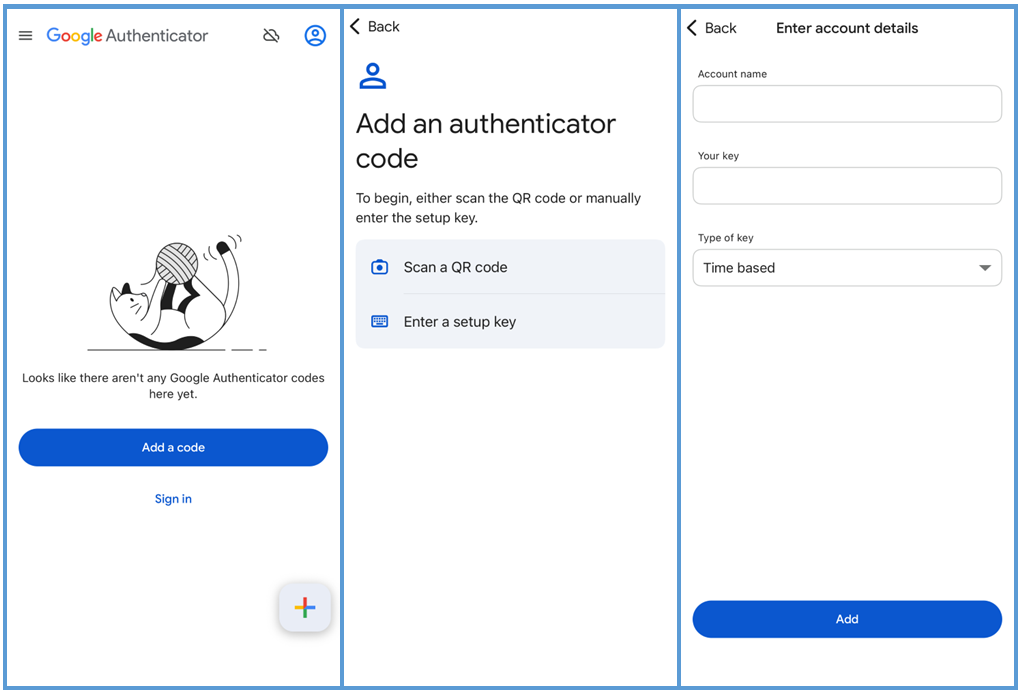
- Google Authenticator will give you a one-time, time-based code that you need to enter into the Proceed Mobile app into the “Enter your one-time code” field in the app, then click “Continue.”
- [For future logins, when you're brought to the verification page you'll have the option to select to “Remember this device for 30 days.” Otherwise, you'll need to enter a code each time you login. You can select this at any time.]
- The first screen you'll see after you login for the first time is "Finding Databases"—please select your company’s database (if there is more than one to select from) and then you'll be fully logged in to Proceed Mobile.