This article explains how Primary and Secondary Customer accounts work in Proceed ERP Softare. These types of Customer accounts are used primarily when there is a Dealer and the Dealer's Customers in the software.
1 Answers
A primary account is the main, top-level account that holds all financial transactions. The secondary account (or sub-account) is nested within the primary account. The secondary account holds the same Bill To as the Primary Account. So any financial transactions such as invoices, credit memos, and payments will fall under the Primary Account. This can be seen in the Customer Transactions section, as well as on reports.
Please note that this primary/secondary customer relationship, once created, is permanent and cannot be undone. If one of the secondary customers is no longer under the primary account, you will need to create them as a new customer and suspend the old one.
Also note, that you cannot tie a secondary account to a primary account if the secondary account has exisiting invoices, credit memos, or payments. You would need to create a new customer and suspend the old one.
Setup a Primary Account
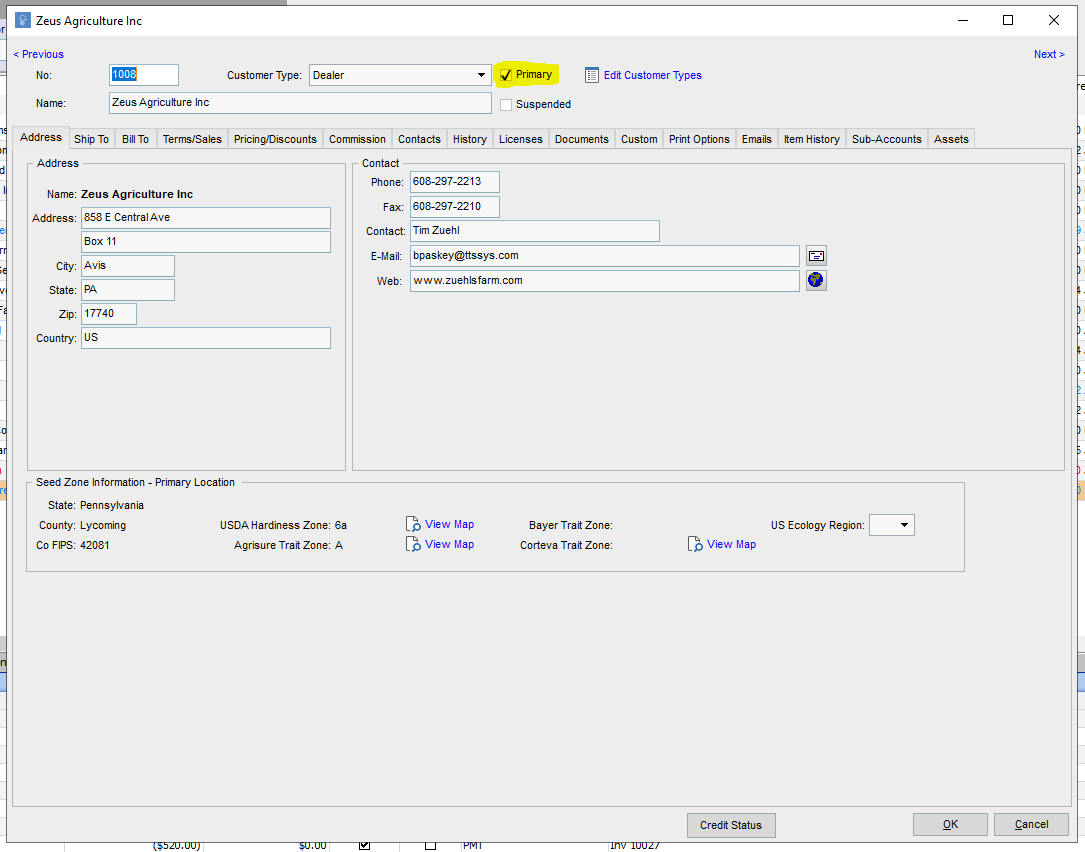
To establish a Primary Account, go into the Edit Customer screen of the Customer you want to be a Primary Account. Select the value "Primary".
Setup a Secondary Account
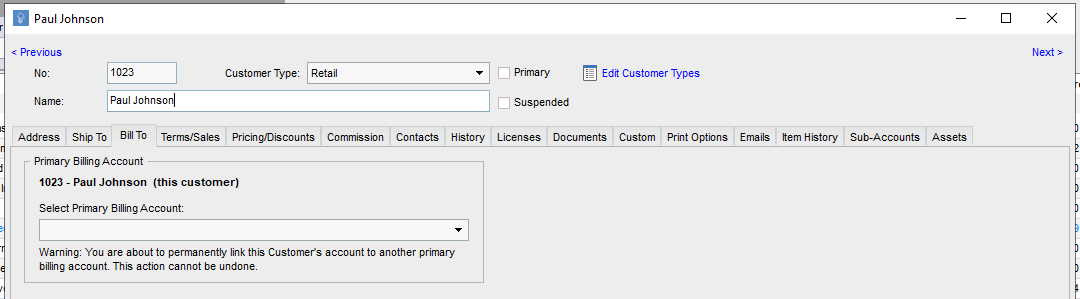
To setup a sub-account, go into the Edit Customer screen and go to the Bill To tab. Select the Primary Account you want to tie the customer to from the drop down menu. You will be asked to confirm if you want to establish this connection.
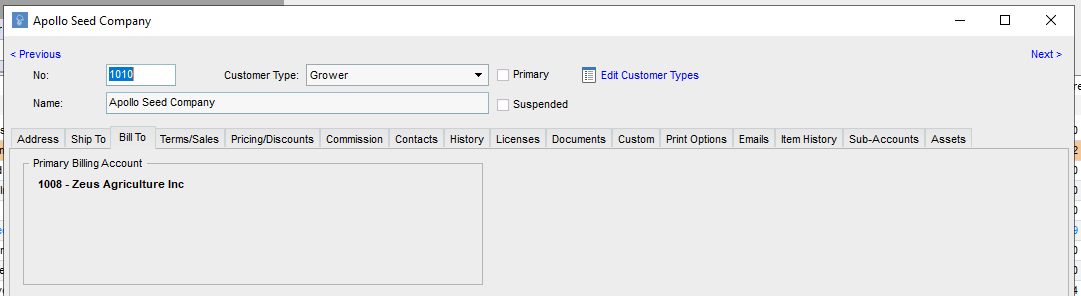
In the future, if you want to reference the Bill To you will be able to see the account it is Billing To.
Some other quick tips on managing primary and secondary accounts:
- You can view all the Sub-Accounts for a Primary Account by going to the "Sub-Accounts" tab on the edit customer screen.
- You can add and move the fields "Bill To" and "Primary" in the field picker on the Customer results screen if you want to be able to view that information at a quick glance.
