This article explains how Materials Resouce Planning (MRP) works in Proceed Software and how it's used to manage your inventory globally.
1 Answers
Material Requirements Planning (MRP) is a function you can run in Proceed that helps to predict the demand for certin items and the quantity of materials needed to complete the production process.
Running an MRP will let users know what materials must be ordered to fulfil current and forecasted production requirements. There are a few ways to run an MRP in Proceed.
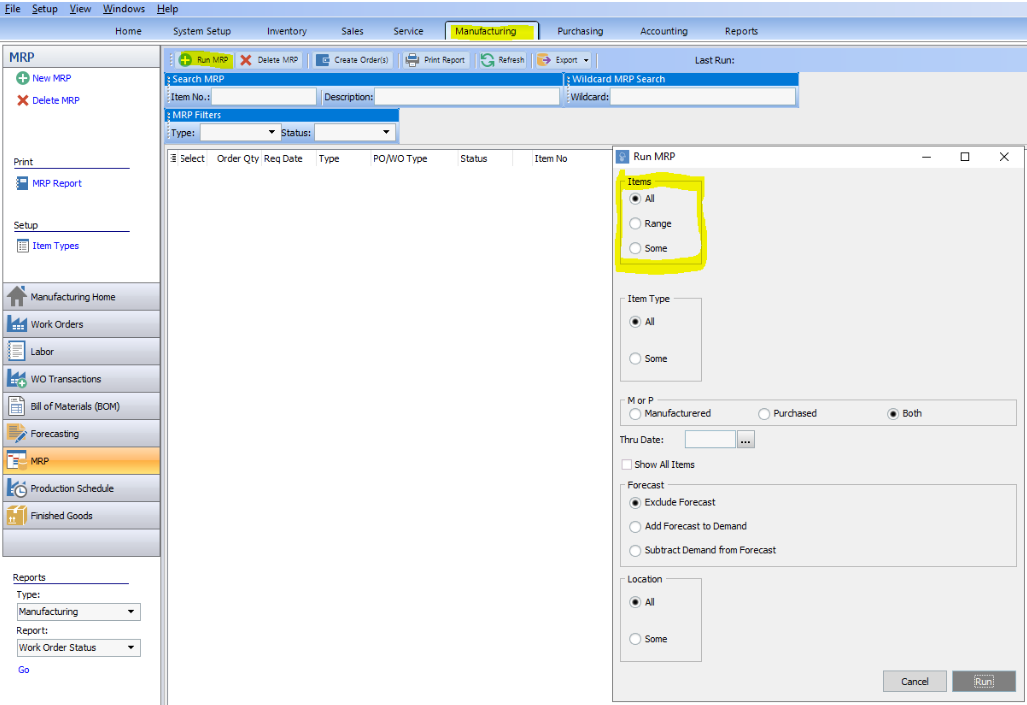
Go to the Manufacturing module, select MRP from the left navigation. Click Run MRP. A new screen will pop up.
Select Items
At the top of this screen there are three variables for items: All, Range, and Some. The “All” value is the default condition.
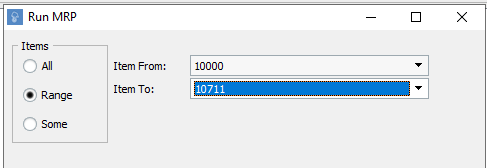
The “Range” value allows the user to select a range of items for the MRP query to run on. Choose your starting and ending points from the drop-down menu.
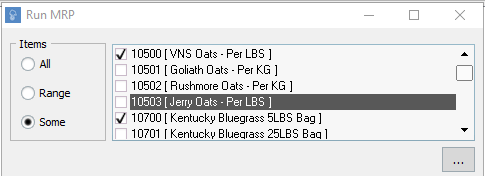
The “Some” value allows the user to select specific items and add them to the list of items that will be sent to the MRP query to run on. If the user wanted to view a larger screen to select the initial items, they could click on the [ ... ] icon, which opens a new window.
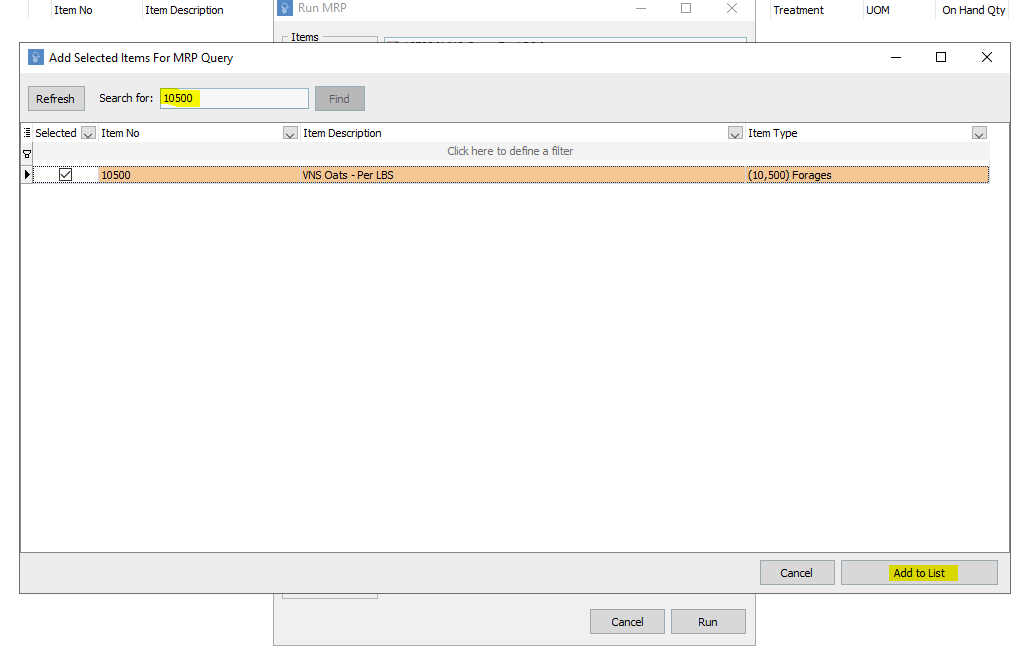
This window is a more detailed item selection, where the user can search by item number and select the items that they want to use for the MRP query. You can check the boxes from this menu. Once all items are selected, click Add to List and items will be added to the collection.
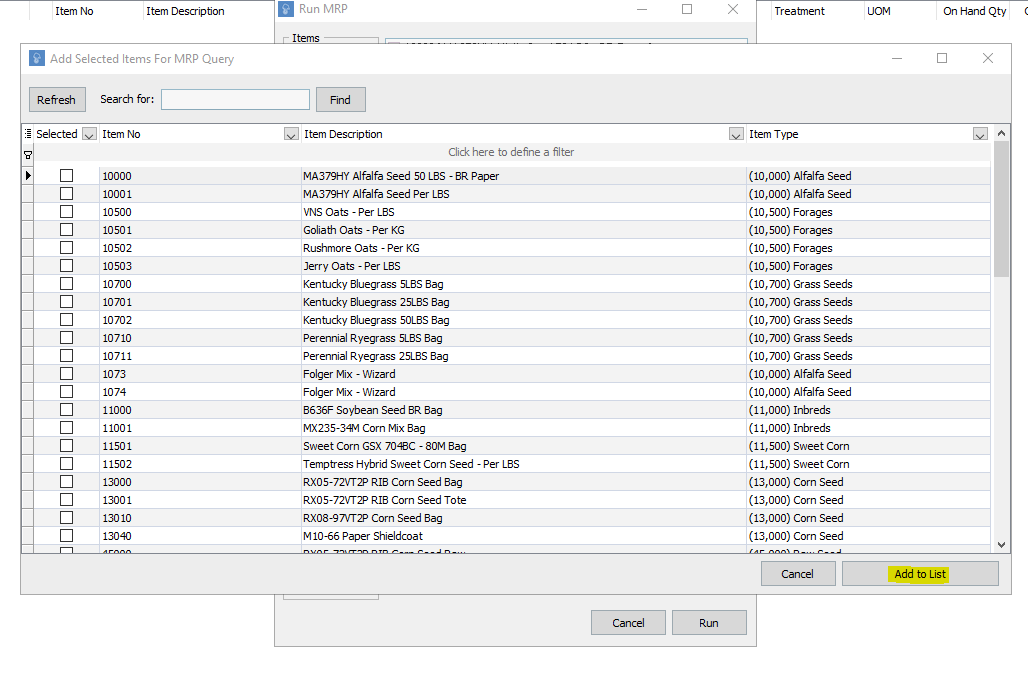
The user can also choose to individually search for an item using the search bar. Then, simply click Add to List and that item will be added to the collection.
Below is a brief description of the additional ways in which items can be grouped based on the requirements you want to see.
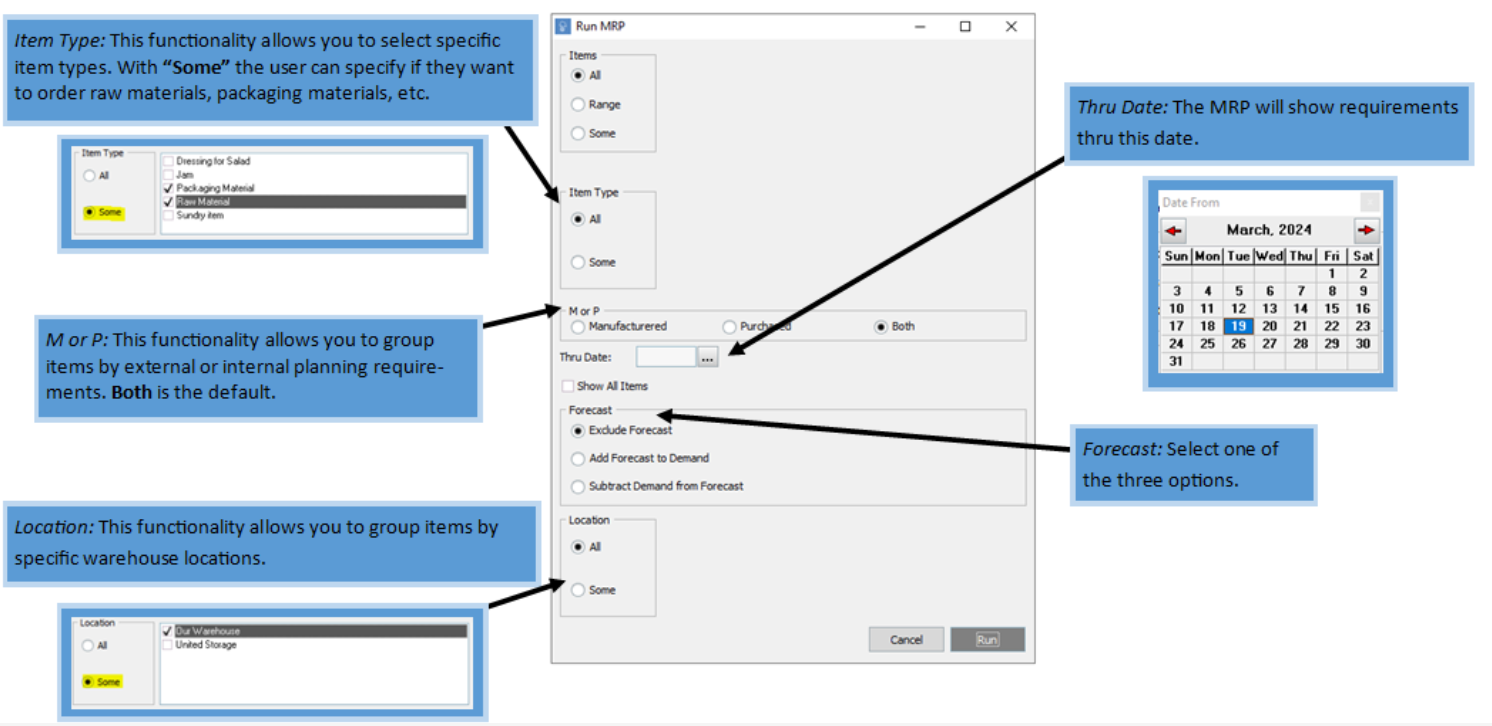
Once all these options have been selected based on user preferences, click Run. Then, click Yes to confirm.
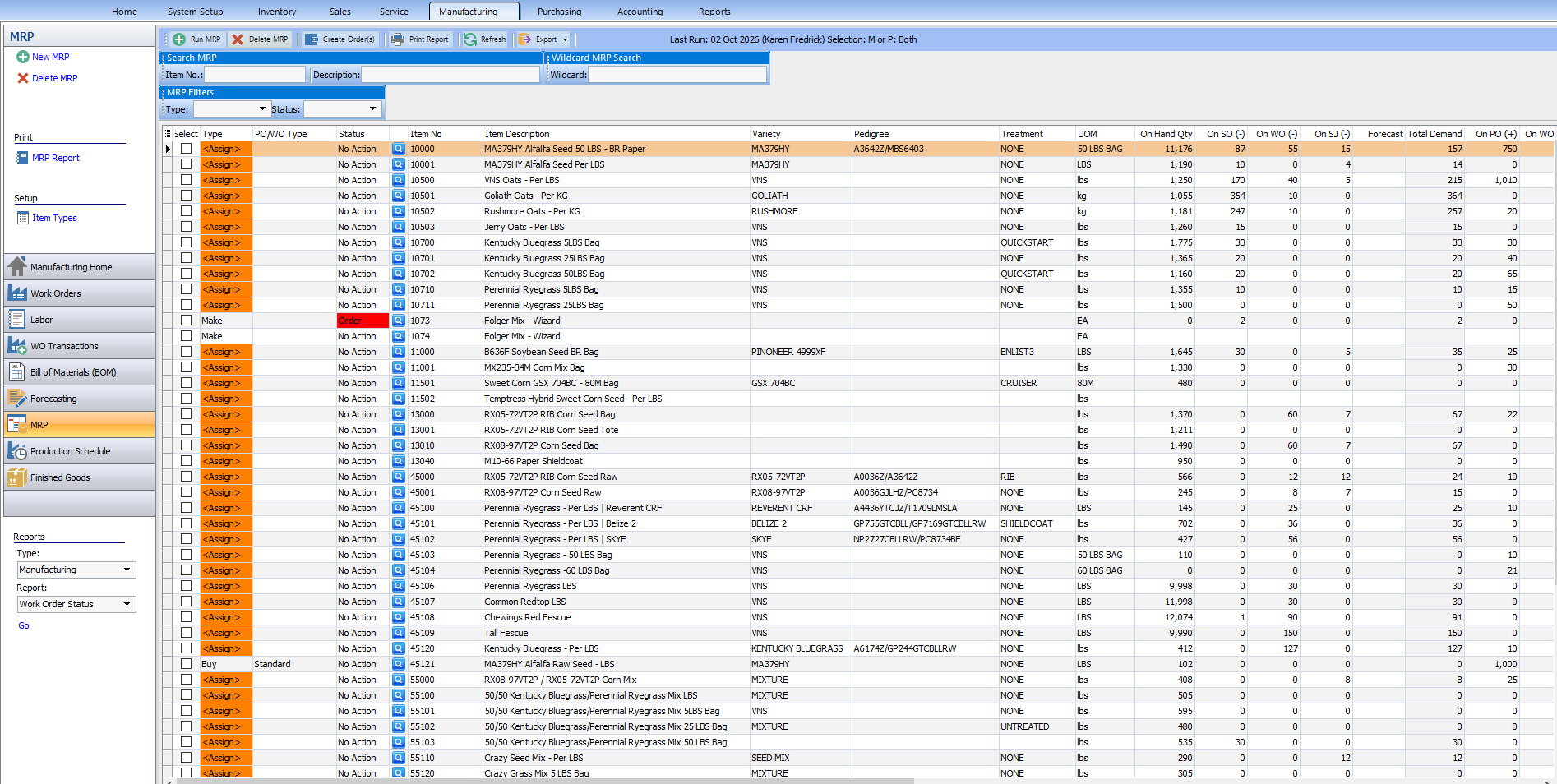
After the report has run, you can see what items need to be purchased vs. made internally, items on order, the on-hand quantities, how much needs to be ordered to meet the demand, etc.

Related
What is a primary lot number in Proceed Software?
1 answers
How does MRP work in Proceed Software?
1 answers
How do I manage Lot Tests in Proceed Software?
1 answers
How do you distinguish between a non gmo and gmo item in Proceed ERP Software
1 answers
What is the overall contract grower process in Proceed?
1 answers
Is there anything in Proceed Software for managing contract growers in Proceed?