
I want to go from bulk lbs to tote bags.
1 Answers
Hi Belinda--Before you create the work order to re-bag the seed, you’ll need to make sure a Bill of Material is established. This connection is key to the re-bagging process on a Work Order.
If you want to convert bulk lbs into a tote, then you’ll need to go into the Tote item. Go to the Bill of Materials tab and add the raw seed or bulk item that you’ll be using to create the tote or bag. Enter the quantity (i.e. how many lbs of the seed makes up 1 tote). You can also add pallets or labels here if those are tracked during this process.
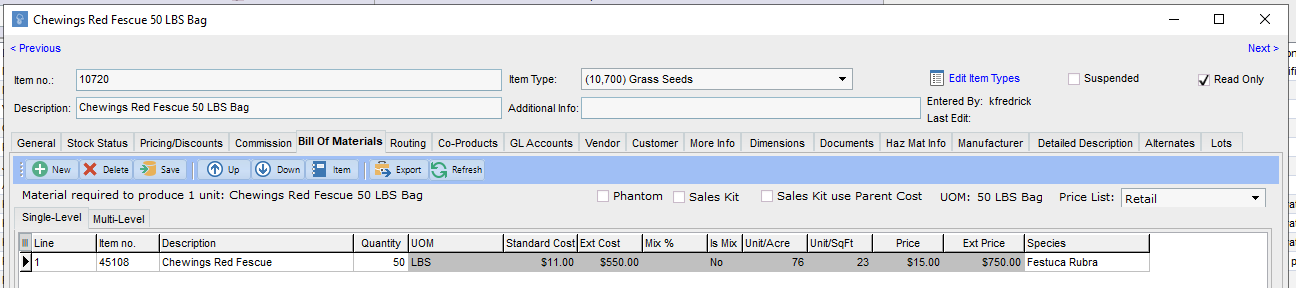
Once this relationship is set, you're set to create a Work Order. Create a new WO and select the item you want to re-bag (in this case, it would be your tote item). Enter the Quantity of Totes you're creating. Then add the Lot Number and Warehouse Location assigned for this item. (Note: If there is not a consistent relationship between the two items, you can also skip this part with the BOM and add the material manually on the WO screen. The BOM will just make this relationship more streamlined for future work orders.)
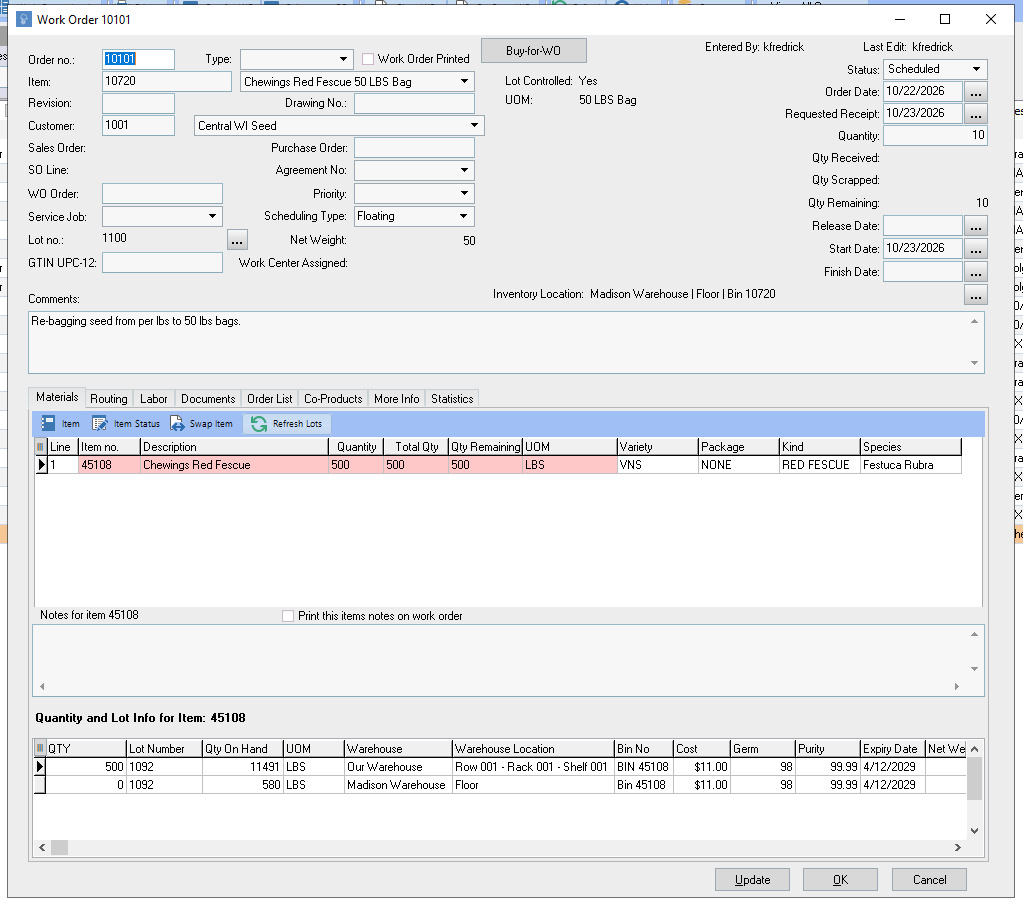
From there, you can finish out the work order like normal by allotting the correct quantities to the lot or lots you are converting into a tote.
Then, create and post the WO Receipt.
After posting, you can return to the Item History and see that your Bulk LBS inventory has been drawn down and your Tote has new inventory.
If you have any more questions on this process, please let us know!

Related
How do I create a work order for re-bagging?
1 answers
What is a primary lot number in Proceed Software?
1 answers
How does MRP work in Proceed Software?
1 answers
How do I manage Lot Tests in Proceed Software?
1 answers
Where do I set costs in Proceed Software?
1 answers
How do you distinguish between a non gmo and gmo item in Proceed ERP Software
1 answers