This article explains how items in Proceed ERP Software are marked GMO or NON GMO in the software.
1 Answers
If you manage GMO/Non-GMO or Organic seed products, you can control this at the item and add additional details at the lot level.
Go to the More Info tab on the edit item screen. You'll see a few voting buttons on the screen, which includes "GMO" and "Organic". When selected, these values become "True".
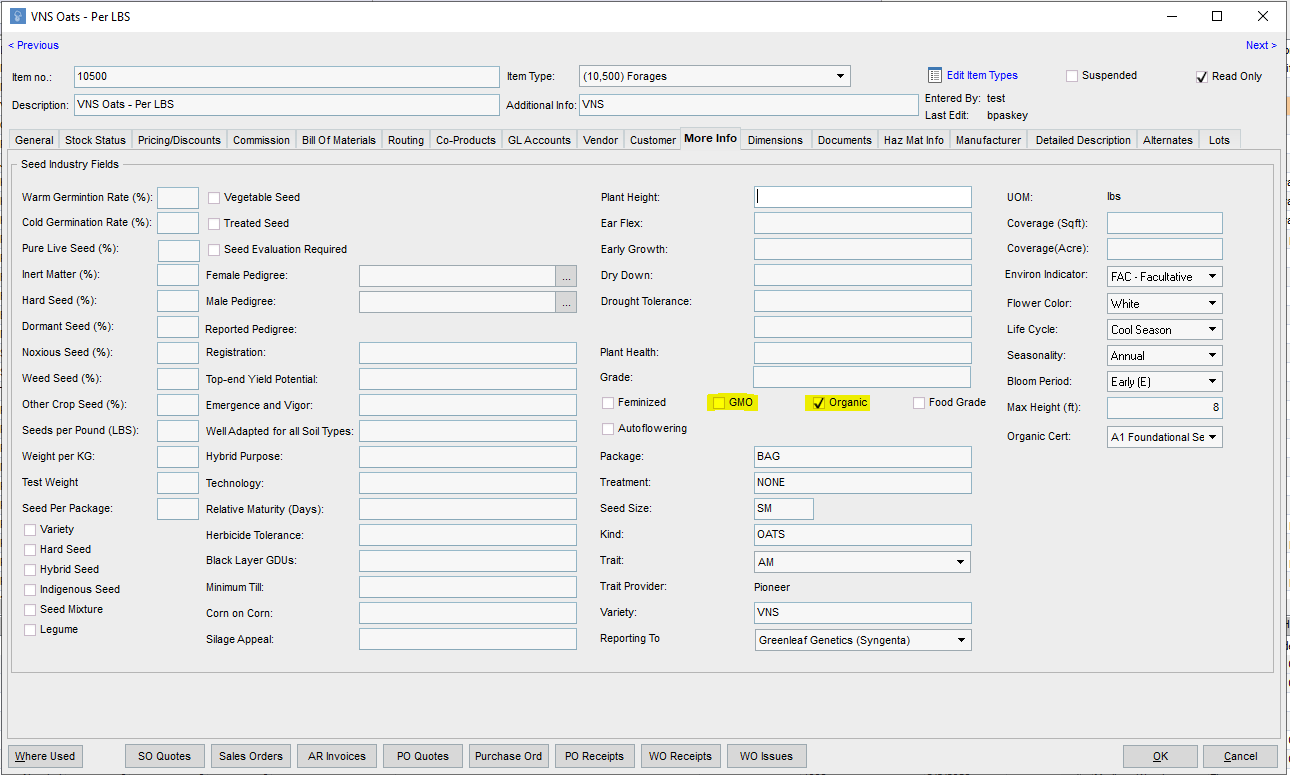
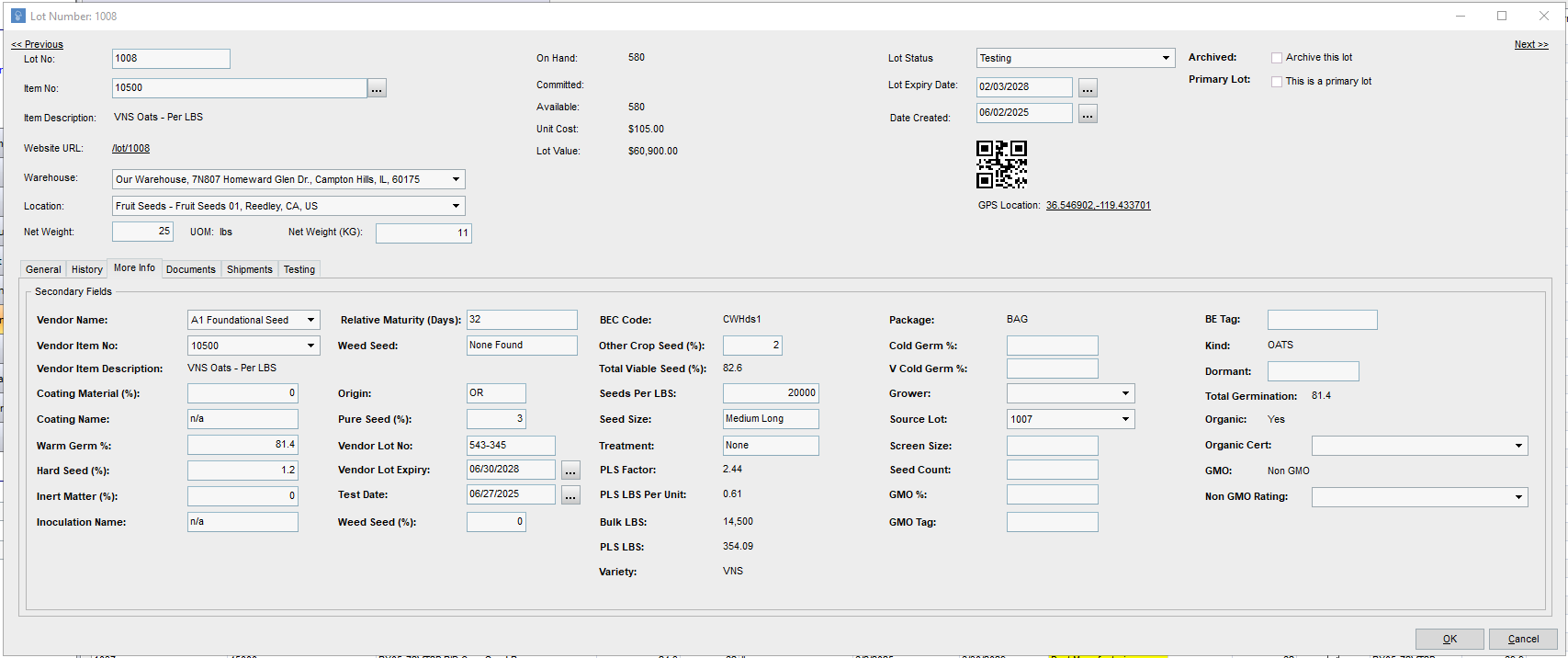
When these values are Organic = True or GMO = False, you'll be able to select the Organic Certifier and Non-GMO Rating on the edit lot screen.

Related
What is a primary lot number in Proceed Software?
1 answers
How does MRP work in Proceed Software?
1 answers
How do I manage Lot Tests in Proceed Software?
1 answers
How do you distinguish between a non gmo and gmo item in Proceed ERP Software
1 answers
What is the overall contract grower process in Proceed?
1 answers
Is there anything in Proceed Software for managing contract growers in Proceed?